
Nano Banana Prompts to Keep the Same Face During Photo Edits
Write preserve-first Nano Banana prompts that protect facial structure, expression, hair, camera angle, and identity while changing the scene.
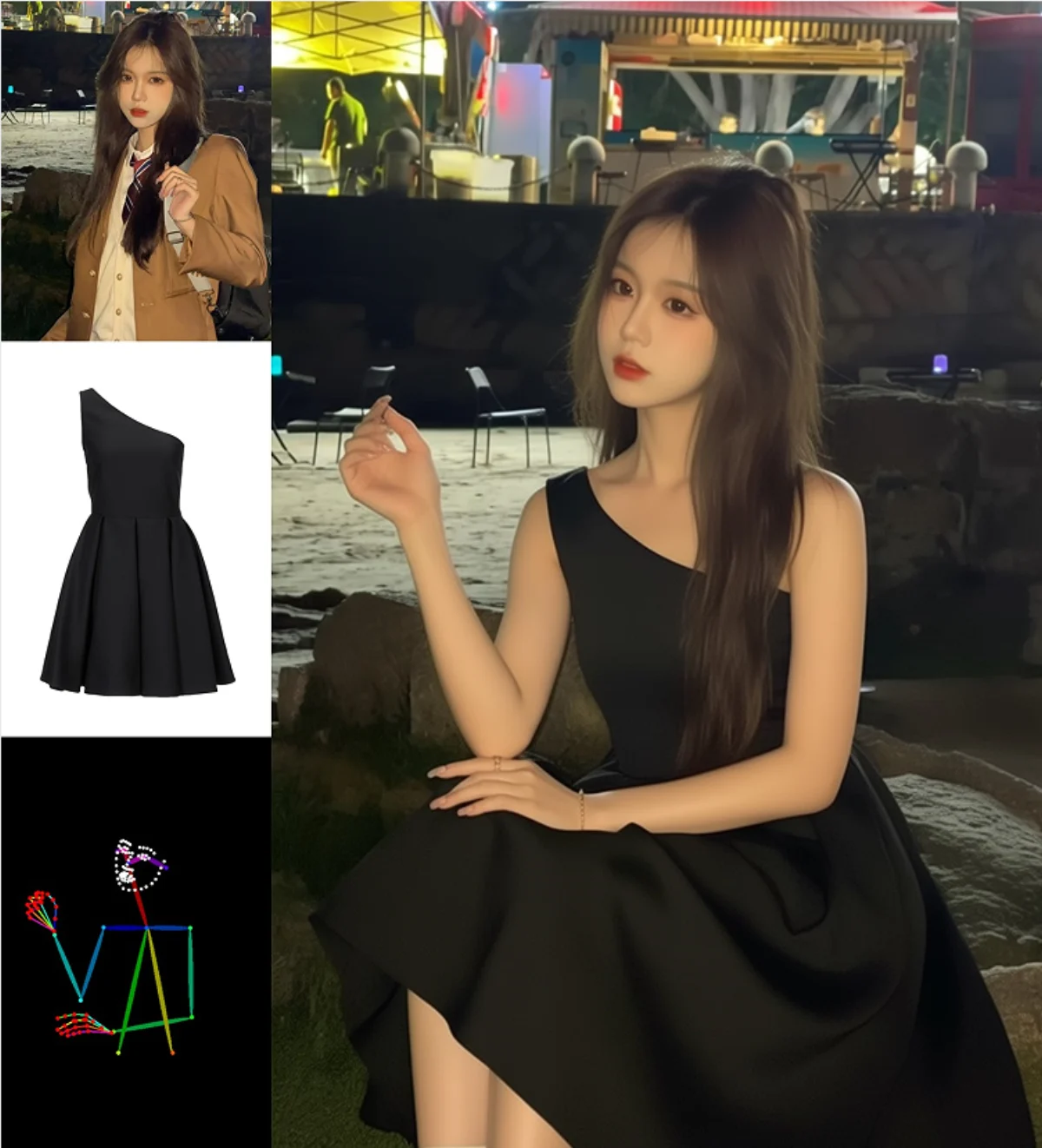
A useful Nano Banana keep same face prompt does three things in order: identifies the source image as the identity reference, names the facial details that must remain fixed, and limits the requested change to one controllable part of the image. Do not rely on “same person” alone. Preserve facial proportions, eye shape, nose, mouth, jawline, skin tone, expression, hairline, and camera angle, then describe the new background, clothing color, or lighting separately. Use a clear portrait with enough facial detail, make small revisions, and compare each output with the original at full resolution. Identity consistency is a review process, not a phrase that guarantees an unchanged face.
Choose a reference that actually defines identity
The editor cannot preserve details that are hidden or too small to interpret. Use a source in which both eyes, the nose, mouth, jawline, and hairline are readable. A three-quarter portrait can work, but an extreme profile does not provide the same information as a front-facing view. Heavy filters, motion blur, sunglasses, hard shadows, and compressed screenshots all reduce useful identity information.
Crop enough context to retain the head, neck, shoulders, and camera perspective. Do not crop tightly around the face if the edit must preserve posture or clothing. If several source images are accepted, assign each one a role instead of uploading an unexplained collection.
Define identity with observable features
“Keep the same face” is a goal, not a detailed instruction. Add a short list of visual facts that should survive the edit. Focus on stable geometry rather than flattering adjectives.
Useful identity anchors include:
- Face shape and jaw width
- Eye shape, spacing, and gaze direction
- Nose profile and mouth proportions
- Natural skin tone and visible texture
- Hairline, parting, length, and curl pattern
- Existing expression and head angle
- Distinctive features such as freckles or a mole
Avoid inventing measurements or describing traits that are not clearly visible. The prompt should reinforce the source, not replace it with an imagined biography.
Use a preserve-change prompt structure
Keep the identity block separate from the transformation. This makes the prompt easier to diagnose when a result drifts.
Use the uploaded portrait as the identity reference. Preserve the exact facial
structure, eye shape and spacing, nose, mouth, jawline, natural skin tone,
hairline, hairstyle, expression, head angle, and camera perspective. Change
only the background to a softly lit editorial studio with a neutral warm-gray
wall. Keep the original clothing and shoulder position. Do not beautify,
reshape, age, or restyle the face.
For a wardrobe edit, replace only the background sentence with the clothing instruction. For a lighting edit, keep the requested change modest enough that the original facial geometry can remain visible.
Change one visual category at a time
Identity drift rises when a prompt asks for a new location, hairstyle, expression, makeup, wardrobe, age, and camera angle together. Each request alters information near or on the face. Begin with one category—for example, the background—and approve that output before changing clothing or lighting.
If the face remains stable after the first edit, use that approved image as the next source only when necessary. Keep the original reference available for comparison. Repeatedly editing an edited image can accumulate small changes, so returning to the strongest identity reference is often safer than continuing a long transformation chain.
Distinguish lighting changes from face changes
New light can make the same geometry appear different. A hard side light deepens one cheek and eye socket; a wide soft light reduces visible texture. This may feel like identity drift even when landmarks are close. Ask for a plausible change that respects the existing direction and exposure. Preserve skin tone and facial texture explicitly, and avoid broad terms such as “perfect beauty lighting” that encourage smoothing or reshaping.
When the desired scene requires dramatically different light, separate the work into stages. First preserve identity in the new environment. Then make a restrained lighting adjustment, checking the face again before accepting it.
Why the face changes despite a preservation instruction
Common causes include a small reference, a new camera angle, a conflicting expression request, or language that invites beautification. Words such as “flawless,” “idealized,” “model-like,” and “younger” alter identity-related features. Large changes to hair can also affect the perceived forehead, cheeks, and jaw.
To correct drift, remove subjective appearance language and restore the original angle and expression. Narrow the task to the background or one clothing region. If a local selection tool is available, protect the full face and hairline from editing. Do not try to repair a completely changed face with an even longer prompt; return to the original source and simplify.
Compare identity at landmarks, not just by impression
Place the source and result side by side at the same size. Check eye spacing, eyebrow shape, nostril width, mouth corners, chin length, ear position, hairline, and the relationship between the head and shoulders. Then inspect freckles, makeup boundaries, teeth, earrings, and glasses.
A result may look like the same general type of person while losing the individual. Review facial relationships, not only style and color. If the output will be used professionally, ask the person represented to review the image as well.
Face-preservation checklist
Before exporting, confirm:
- The source is clear and appropriately cropped.
- The prompt assigns the source as the identity reference.
- Preserve and change instructions are separate.
- Facial geometry, expression, hairline, and angle remain stable.
- No beautification or age change appeared unintentionally.
- Skin still has plausible texture and tone.
- Accessories and shoulder position remain correct.
- The result has been checked at full resolution.
Build the next edit around a strong reference
Review the portrait directions in the AI image showcases, then use the AI image generator to structure a clear identity-preservation prompt. When you are ready to edit photo without changing face details, open the Create workspace, upload the cleanest source, request one change, and reject any variation that treats resemblance as a substitute for identity.
Related guides
An AI Inpainting Mask Guide for Clean Local Edits
Plan cleaner local AI edits by choosing mask boundaries, context margins, feathering, protected regions, staged passes, and full-resolution checks.
How to Write Better Negative Prompts for Realistic AI Images
Build concise negative prompts from visible risks while keeping positive direction clear, specific, compatible, and useful for realistic image creation.
How to Fix Unrealistic Reflections in AI Images
Correct mirrors, glass, water, metal, and glossy surfaces by tracing reflected geometry, viewpoint, light, roughness, occlusion, and material behavior.
How to Preserve the Camera Angle in AI Image Edits
Protect viewpoint and perspective during AI editing by defining camera height, orientation, horizon, vanishing lines, subject scale, and lens behavior.
Last reviewed .